Test Payments in Sandbox
The sandbox environment allows for testing of incoming payments to a virtual account number or PayID via the portal.
Use the following payment details when testing in Sandbox:
Account Name | BSB | Account Number | PayID |
|---|---|---|---|
Monoova Sample 1 | 802950 | 22090100 | +61-422020901 |
Monoova Sample 2 | 802950 | 22090101 | |
Monoova Sample 3 | 802950 | 22090102 | 38126015228 |
Monoova Sample 4 | 802950 | 22090103 | 987654321 |
Testing Incoming Payments
The Sandbox simulator is used to simulate incoming payments from external bank accounts to a Monoova virtual account number or PayID. Both Direct Entry (DE) transactions or New Payments Platform (NPP) transactions can be simulated, up to a maximum value of $1000.
Before you can use the simulator, you need to set up a new virtual account number. This can be done either through our API or directly via the Sandbox environment. Note that PayIDs must be created using the API.
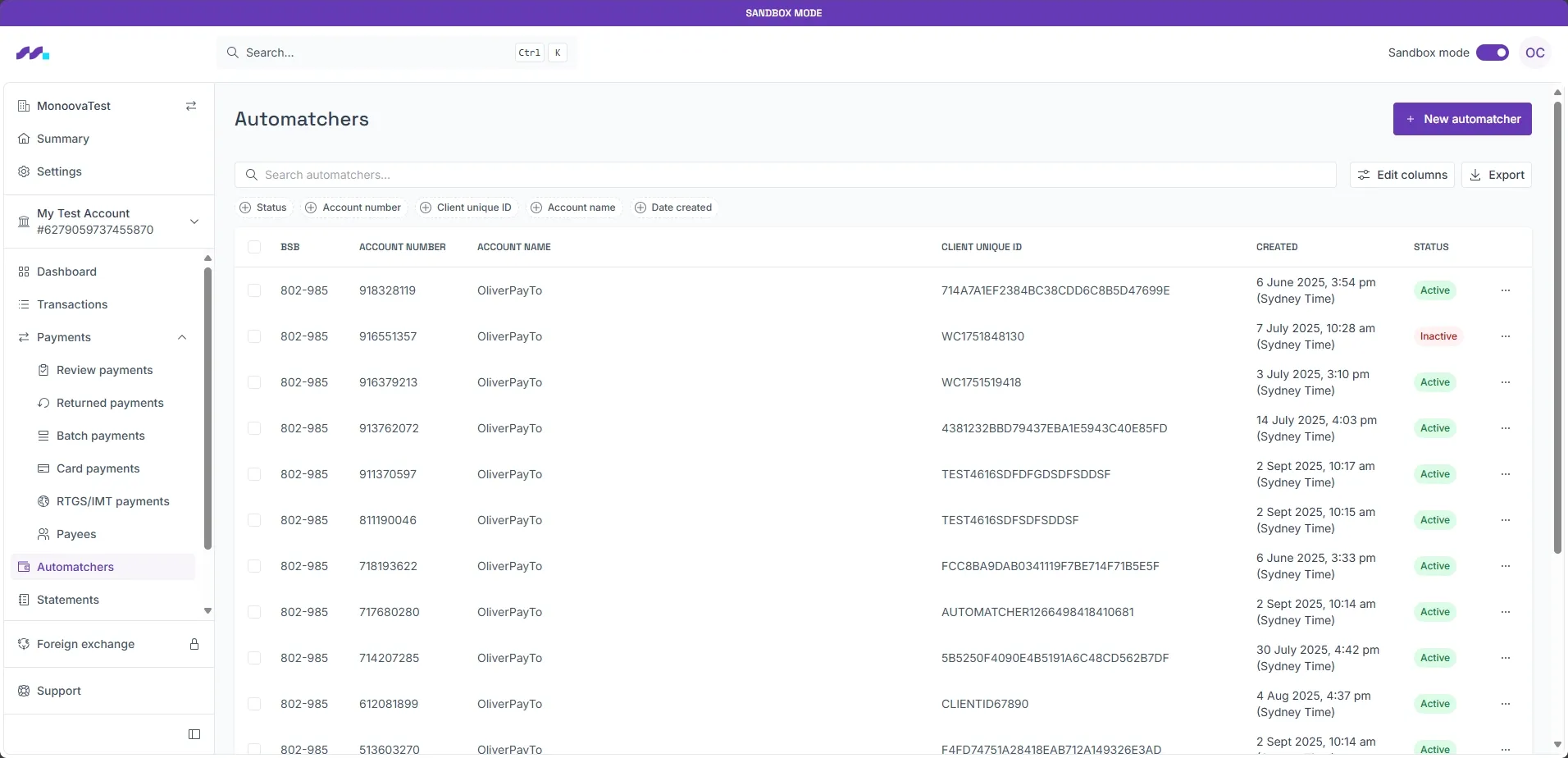
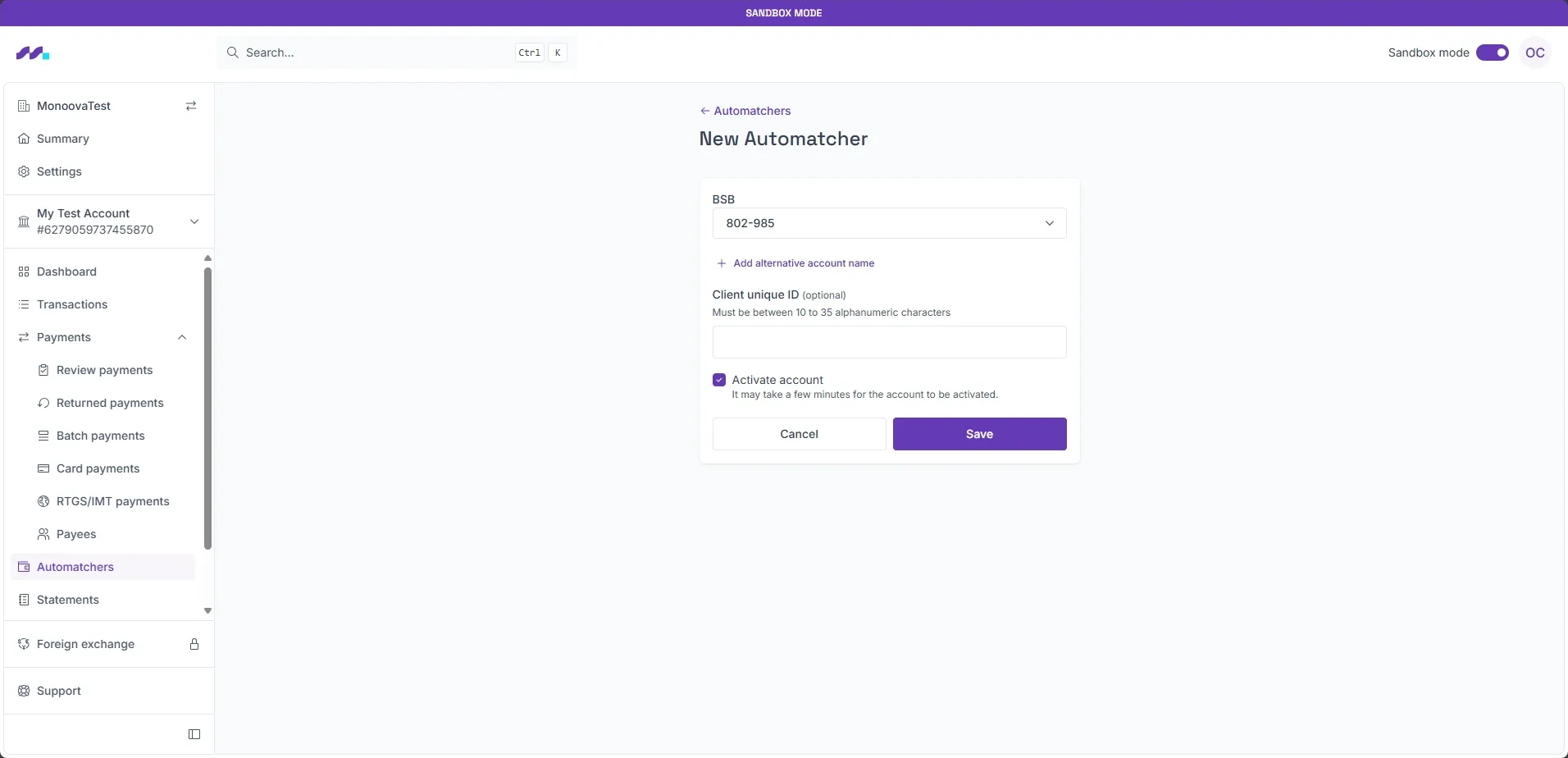
To create a new virtual account number in the Sandbox, navigate to the Automatcher screen and click New Automatcher, then fill in the required fields. After submitting the form, your new virtual account number will be enabled. creation is instant, but it can take up to 5 minutes for accounts to become available for NPP payments.
Once your virtual account number or PayID is set up, you can start using the Sandbox simulator to test incoming payments.
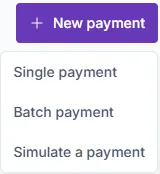
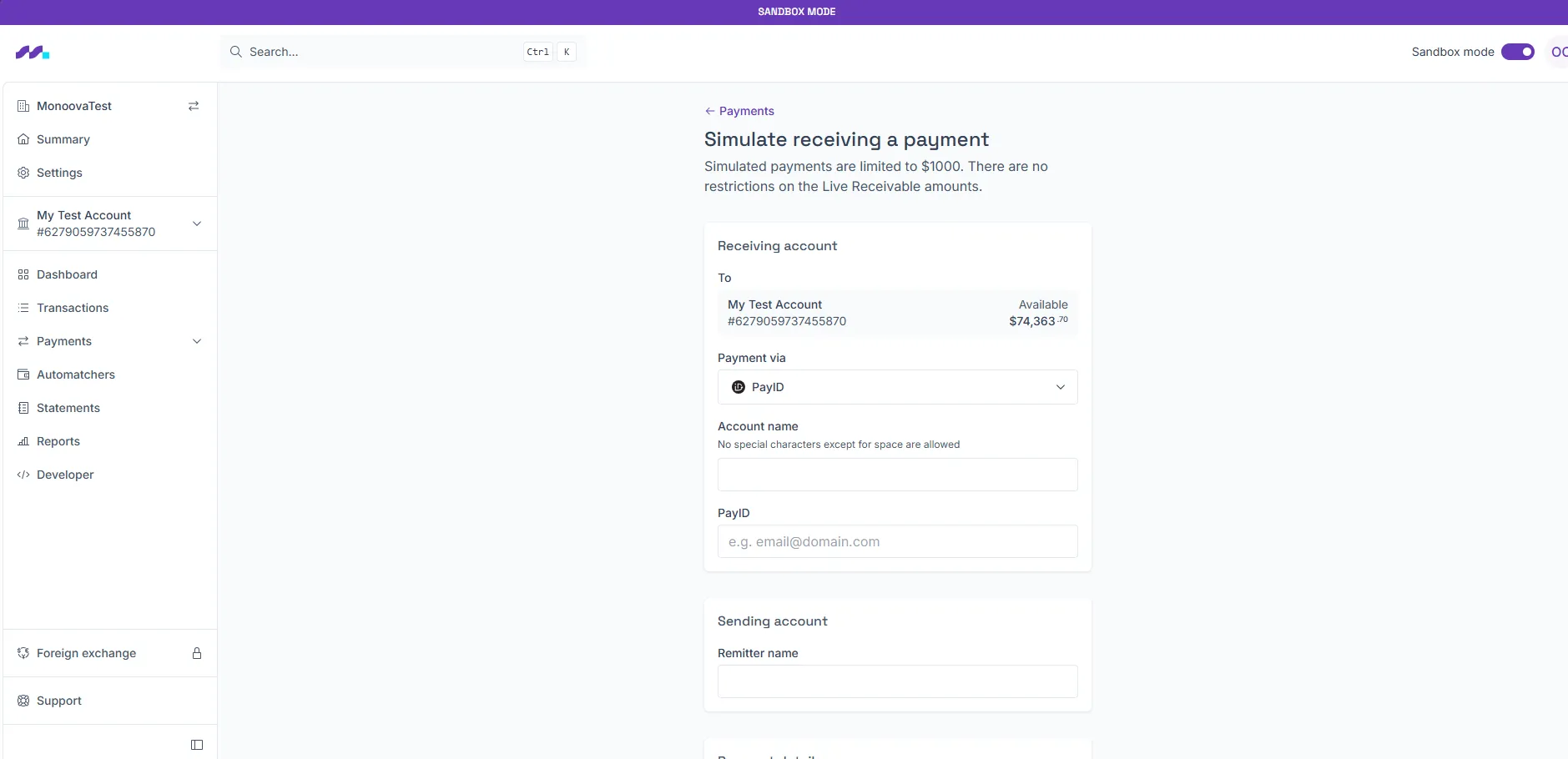
To access the sandbox simulator, create a new payment in the sandbox environment and choose Simulate a payment.
Enter the required information in the simulator screen and click submit. Your payment will be received instantly.
To test other payment types, such as Card and PayTo payments, please contact us.
Testing Outgoing Payments
Outgoing payments can either be tested using the API or the Sandbox UI. Like production, the Sandbox environment allows for DE payments to be made individually and in batches.
API
All disbursements use the Execute a Transaction endpoint. Your account will need to have sufficient balance to make the payment.
The API can be used for the following payment types:
- Direct Credit to an Australian bank account or account token
- Direct Debit from an Australian bank account or account token
- Batch Direct Debit
- BPAY
- NPP (Osko) to an Australian bank account or PayID
- 'On-us' transactions to other Monoova mAccounts, child accounts, or ledger accounts
Sandbox Portal
Click New payment on the payments or transaction screens to make an outbound payment. You can make individual payments for the following payment types:
- Direct Credit to an Australian bank account
- BPAY
- 'On-us' transactions to another Monoova mAccount
You can make batch payments for the following payment types by uploading a CSV file:
- Direct Credit to an Australian bank account
- Direct Debit from an Australian bank account
Before testing file uploads via the portal, contact us to arrange access.